.png?fit=max&auto=format&n=tsMQJyneJ1xquFUo&q=85&s=4d401cc03b547d99b6f75a6bd170c334)
- Overview
- How to connect
- Automated checks
- Useful links
DSALTA connects to Stripe using read-only API access to collect compliance evidence automatically. Data feeds into your Access accounts and Inventory pages.
Read-only access. DSALTA never modifies, creates, or deletes resources in your Stripe account.
What you’ll see. Stripe exposes no API that lists dashboard members, so DSALTA’s Access page shows the connected account owner as a single row (the account that authorized the connection) rather than a list of individual people. That single row is what every Stripe sync produces, whatever identity setup your Stripe account uses. Because of this, the access checks below — which match Stripe users to your People page by email — may not resolve automatically. Treat the Access list as the connected account and confirm its owner manually. DSALTA also syncs your Products and Webhook endpoints to the Inventory page.
DSALTA collects this integration’s data when you connect it — you can refresh it at any time with Sync from integrations on the Integrations page. The compliance checks below re-run once a day at 02:00 America/New_York.
What DSALTA reads
DSALTA reads the Stripe account that authorised the connection — its account name, contact email and creation date, a single row on your Access page. Stripe exposes no API that lists dashboard members, so there is no roster to read, and that one row is always labelled an active Owner; and your Stripe resources, which appear on your Inventory page.It calls these Stripe endpoints:/v1/account/v1/products/v1/webhook_endpoints
Troubleshooting
Integration shows Disconnected
Integration shows Disconnected
There is no Reconnect button. Open Integrations → Connected, click Manage on the Stripe card, and check the Status tab — it shows either Connected and working properly or Connection issues detected. To restore a broken connection you must Disconnect and connect again, which permanently deletes the data and tests collected from Stripe. This can happen if the restricted API key was rolled or revoked in the Stripe Dashboard.
Data is not syncing
Data is not syncing
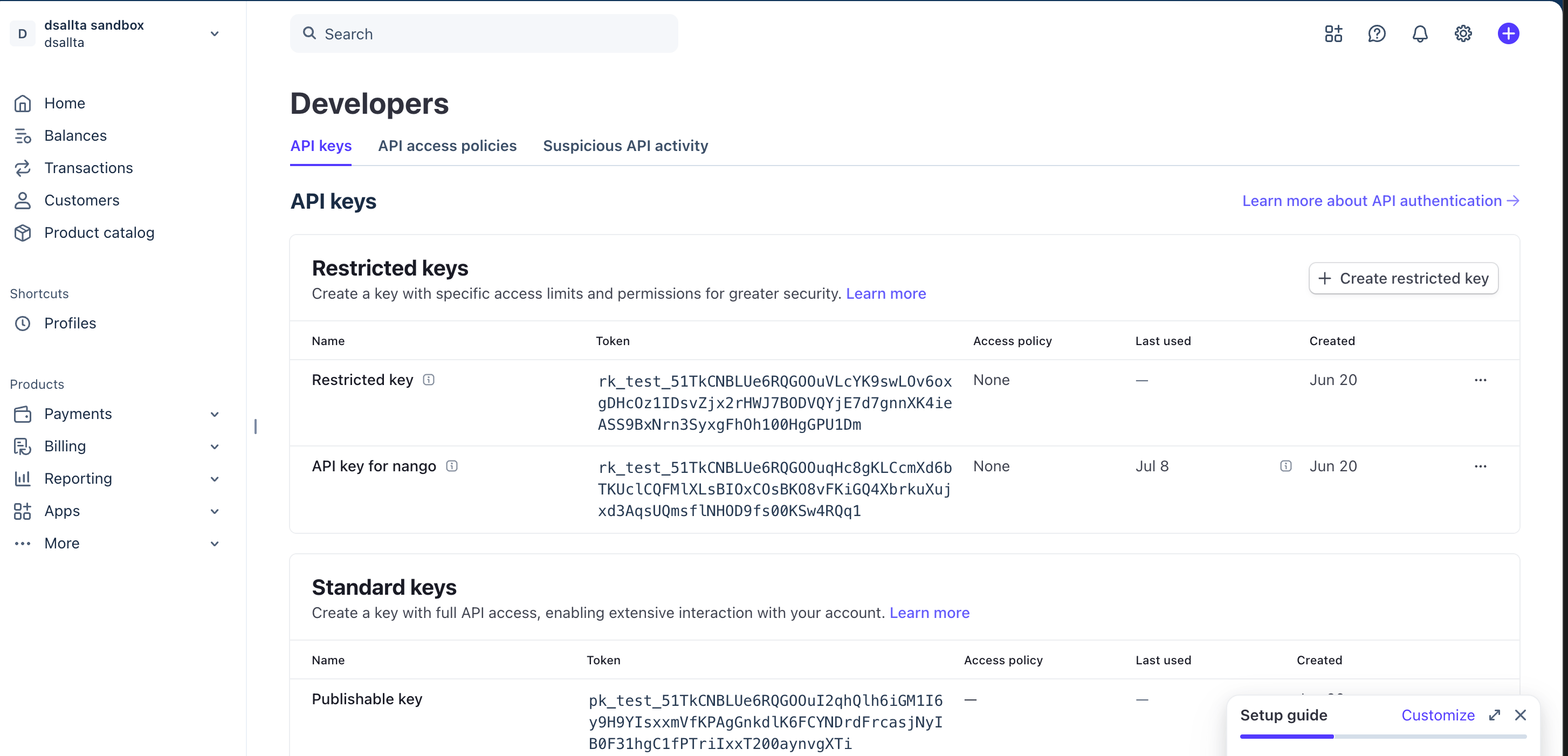
Confirm the restricted key is still active and carries Read access on Accounts, Products, and Webhook Endpoints, then click Sync from integrations on the Integrations page (Connected tab) — it refreshes every connected integration at once.
The Access page is empty
The Access page is empty
The restricted key is missing Read on Accounts (listed under Connect in the permission list). Edit the key in the Stripe Dashboard to grant it — the key value does not change, so there is nothing to re-enter in DSALTA. Then click Sync from integrations on the Integrations page. Do not disconnect: that would delete the Stripe data and tests already collected.